How to delete game account
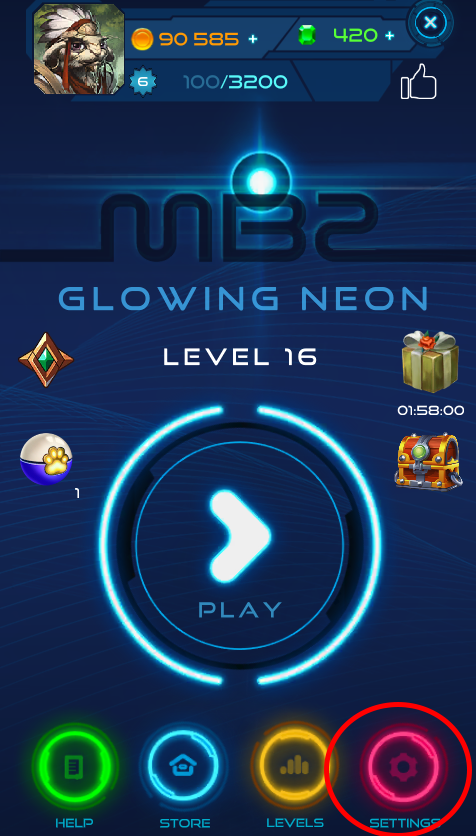
- Open Settings. To do this, click the “Settings” button on the main screen of the game (сircled in red).
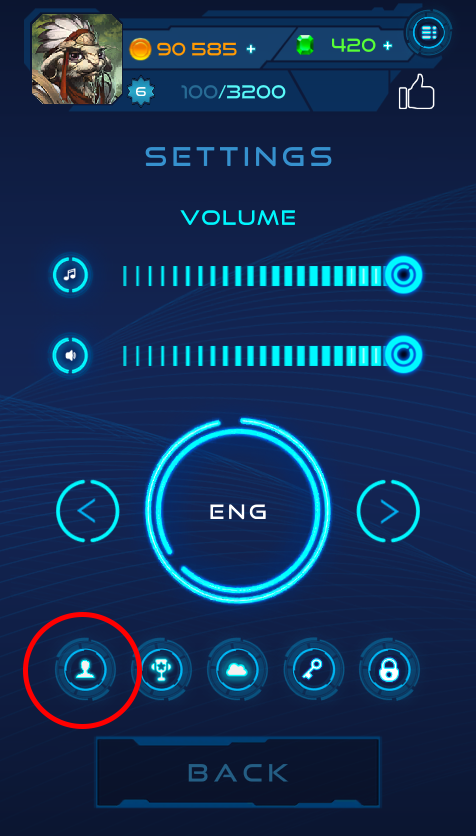
2. Click “Profile” button (сircled in red).
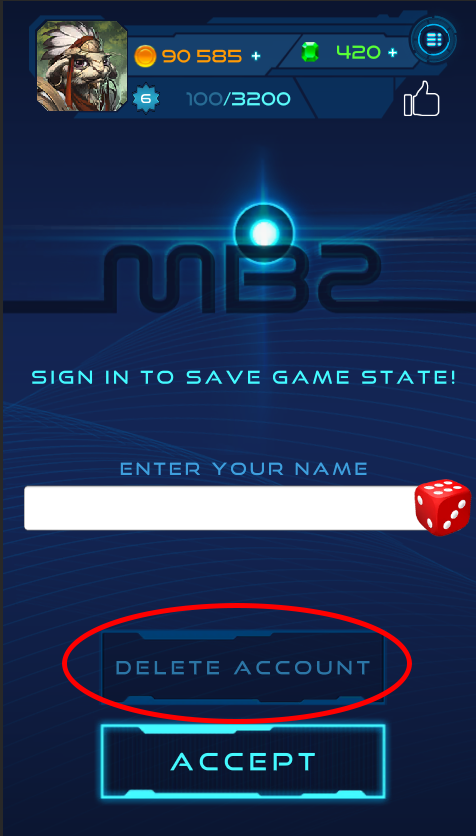
3. Click “Delete Account” (circled in red) and click “Yes” in the “Do you want to delete your account and game progress?” dialog.
Considerations before deleting a game account
Before deleting your game account, there are a few things you should consider. Before deleting your account, you can spend any in-game currency or items you may have. You will no longer have access to these items or currencies if your account is deleted.
Deleting your account is an irreversible process and you will not be able to reactivate it or access any information associated with it.
Thanks for playing our games.